



HUBmis_LIGHT_Reg TM

Teacher Training

Course Contents

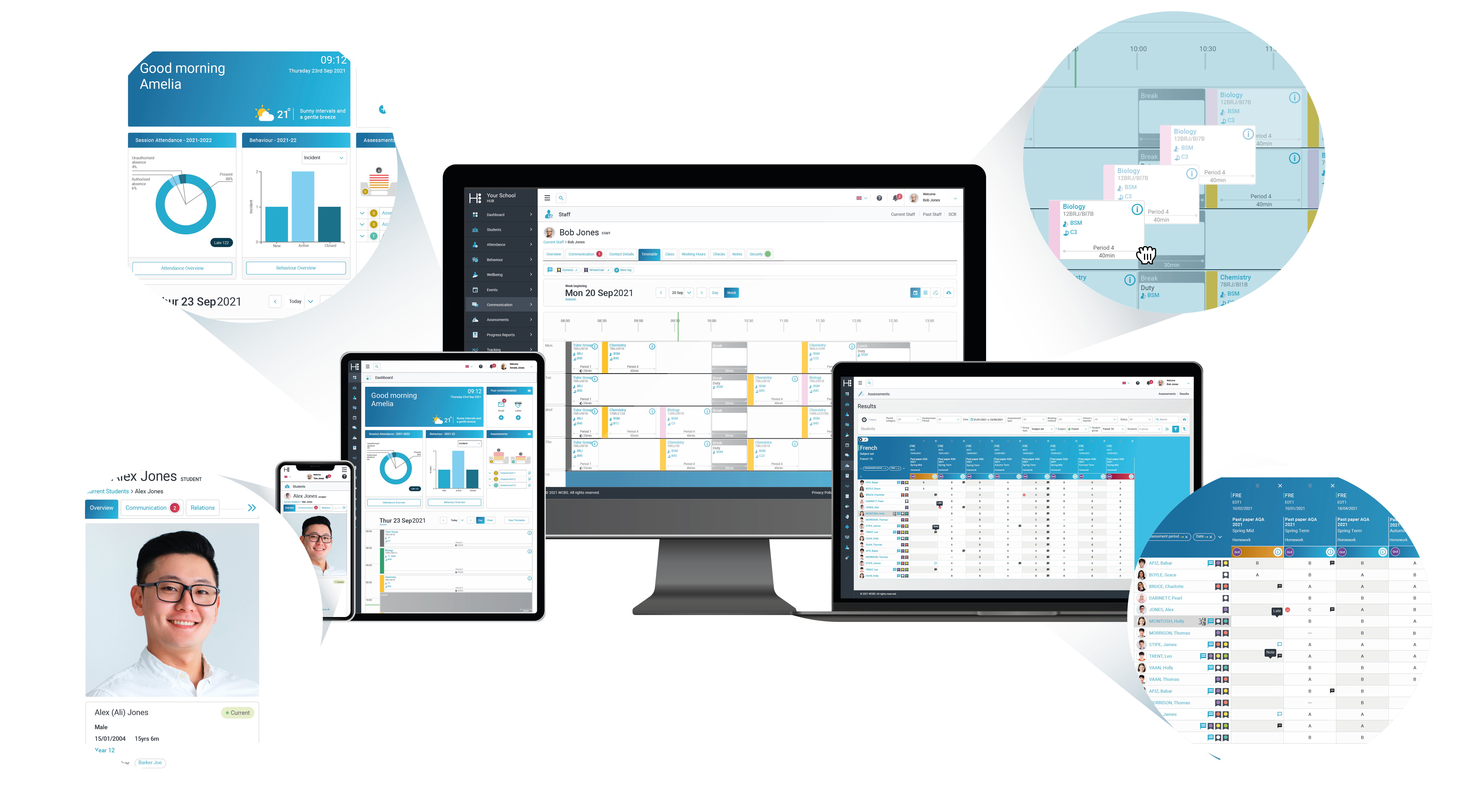
A quick overview and introduction to HUBmis and how to find your way around.

Duration: 3 minutes

Learn how to quickly access vital emergency contact information within a student’s record, ensuring teachers can respond promptly to any urgent situations with ease..

Duration: 1 Minute


Discover how to take class attendance, whether that’s through a form class, lesson or after school club

Duration: 3 minutes

If you aren’t allocated to teach a class, whether that’s a form class, subject set, tutor group or ECA, if has been assigned to have attendance taken, then you’ll be able to use filters to find the class and take attendance on behalf of another teacher.

Duration: 2 minutes

Find out how to view any medical information that has been added to a student record, whether that’s a medical condition, medical notes or their doctor’s contact information.

Duration: 2 minutes

Find out how easy it is to reward your students by adding positive behaviour events for 1 or more students

Duration: 1 minutes


Learn how to add a negative behaviour record for 1 or more students

Duration: 3 minutes


Use the Communication module to easily send out emails to staff.


Duration: 3 minutes

Use the Communication module to easily send out broadcast emails to contacts

Duration: 2 minutes

Use the Communication module to easily send out broadcast emails to groups of filtered contacts

Duration: 2 minutes

Easily view the learning support needs of your students across the school, using a number of filters to drill down to specific groups of pupils as needed.

Duration: 2 minutes


Access a student’s learning support records, including any review meetings

Duration: 3 minutes

How to easily find and view a staff member of student’s timetable including how to print off a paper copy.

Duration: 2 minutes


Should you have a concern about a student, find out how to add a documented concern to the wellbeing module.

Duration: 5 minutes

Course Overview

Learn the basics of using HUBmis as a Teacher using the system. This course includes everything a teacher might need to know when using the system on a daily basis, from taking attendance to adding a behaviour event.

Course Length

Complete the course in 180 minutes.

Previous Knowledge and Requirements

No previous knowledge is required, but this course works best on a desktop or laptop, and you might want headphones if you’re in a shared space.

Lesson 1:

Navigating HUBmis

  • Login to HUBmis
  • Filter a data grid

  • Export data from a grid

Lesson 2:

Emergency Contacts

  • Quickly find emergency contacts within the student record

Lesson 3:

Taking Class Attendance

  • Take attendance through Attendance Module
  • Take attendance through your dashboard timetable

Lesson 4:

Taking Class Attendance for Another Class

  • Take attendance through Attendance Module
  • Take attendance for another class, not on your timetable

Lesson 5:

Viewing a Student’s Medical Record

  • Identify a medical record icon

  • View a student’s medical record
  • View a student’s medical notes

Lesson 6:

Positive Behaviour Event

  • Log a positive behaviour event against a student

  • Log a positive behaviour event against multiple students
  • Log a positive behaviour event from another staff member

Lesson 7:

Negative Behaviour Incidents

  • Log a negative behaviour event against a student

  • Log a negative behaviour event against multiple students

  • Log a negative behaviour event from another staff member

Lesson 8:

Sending Emails to Staff

  • Send an email to a staff member

  • Send an email to a group of staff members

  • Use merge fields to personalise emails

Lesson 9:

Sending Emails to Contacts

  • Send an email to a contact
  • Send an email to a billing contact

Lesson 10:

Sending Emails to Groups of Contacts

  • Use filters to choose recpients of an email
  • Send an email to the primary contacts linked to students

  • Use merge fields within a communication

Lesson 11:

Viewing Support Records

  • View all students with recorded additional needs
  • Filter learning support records

  • Download in a CSV format

Lesson 12:

Viewing Individual Support Records

  • View all of an individuals support records in one place
  • Add information to review meeting notes

  • Add a next review date

Lesson 13:

Viewing an Individual’s Timetable

  • View a staff member’s timetable
  • View a student’s timetable
  • Change the display of the timetable

  • Download a PDF copy

Lesson 14:

Adding Wellbeing Events

  • Add a new wellbeing record
  • Add more information to a wellbeing record at a later date

  • Assign staff to the wellbeing record

Quiz

Complete the quiz below as part of your HUBmis certification.

Want to learn more on HUBmis? Check out our other courses or reach out about bespoke training.

Join hundreds of independent schools who trust WCBS to deliver their finance software and ensure your bursary, payroll and HR departments continue to effectively manage finances throughout your school.

Get in touch to discover how passFINANCE can offer your school more efficient and effective financial control.